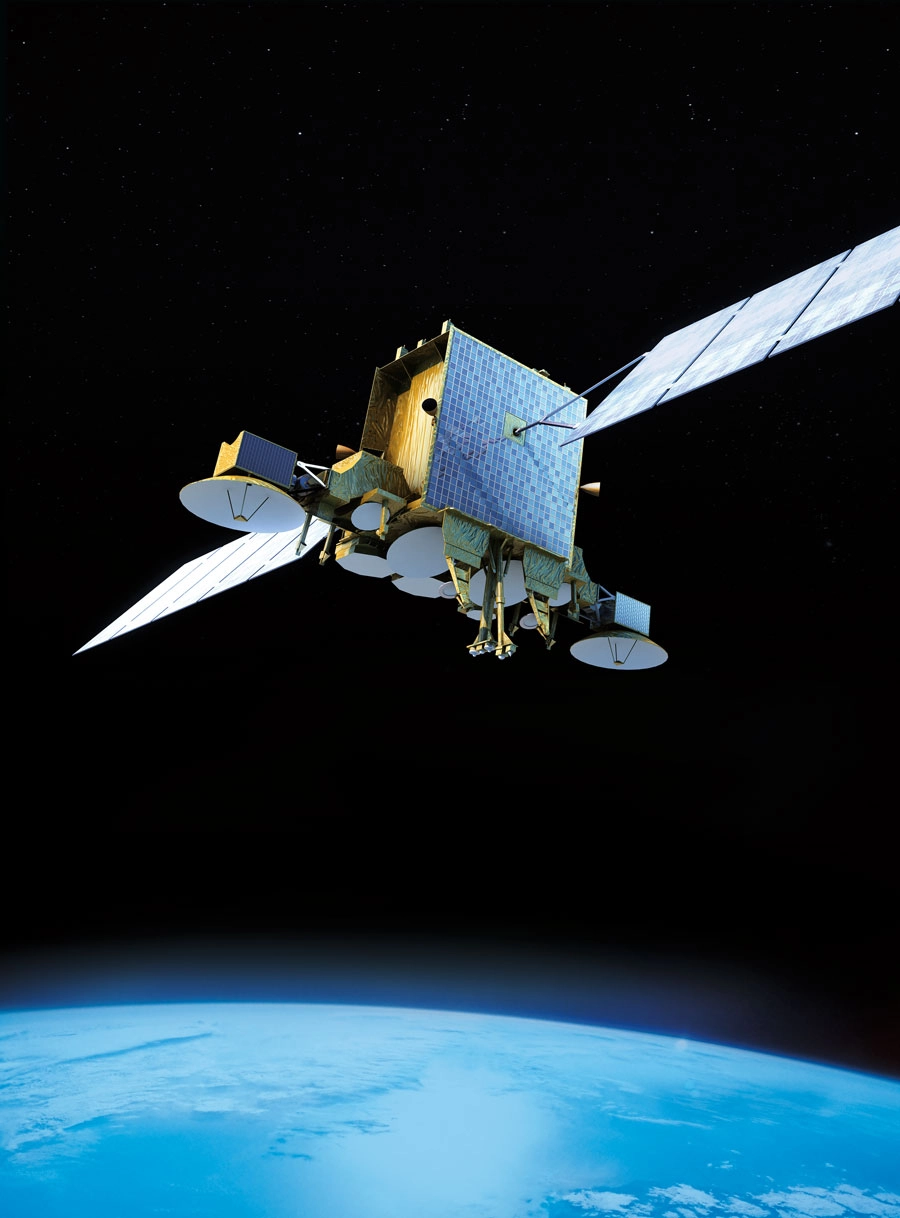
Satellites have revolutionized modern communication, broadcasting, navigation, and weather monitoring. From watching international news channels to using GPS while driving, satellites are an essential part of our daily lives. In this article, we explore what satellites are, their orbital types, and how to receive their signals at home.
🌍 What Is a Satellite?
A satellite is an artificial object launched into space to orbit a planet or other celestial body. Satellites are used for a wide range of applications, including:
-
Television and radio broadcasting
-
Internet and telecommunication
-
GPS and global navigation
-
Military reconnaissance
-
Weather forecasting and climate research
-
Earth observation and scientific exploration
🧭 Types of Satellite Orbits
Satellites orbit the Earth at different heights depending on their mission. The three main types of satellite orbits are:
1. LEO – Low Earth Orbit (160 km – 2,000 km)
-
Orbits Earth in 90–120 minutes
-
Used for: internet (e.g., Starlink), Earth imaging, space stations (ISS)
-
Low latency and high resolution
-
Requires many satellites for global coverage
2. MEO – Medium Earth Orbit (2,000 km – 35,786 km)
-
Orbits Earth in 2–12 hours
-
Used for: GPS, GLONASS, Galileo navigation systems
-
Balanced latency and coverage
-
Fewer satellites needed than LEO
3. GEO – Geostationary Orbit (35,786 km)
-
Remains fixed over one location on the equator
-
Orbits the Earth in 24 hours (same as Earth’s rotation)
-
Used for: TV broadcasting (e.g., Nilesat, Hotbird), communications, weather satellites
-
Provides constant coverage of a large area
-
Higher latency but ideal for broadcasting
📡 How to Receive Satellite Signals at Home
To watch satellite TV or receive satellite data, you need a satellite reception system. Here’s how it works:
🧰 Essential Components:
| Component | Function |
|---|---|
| Satellite Dish | Captures signals from the satellite and reflects them to the LNB |
| LNB (Low-Noise Block) | Converts and amplifies signals from the satellite into usable frequencies |
| Receiver (Decoder) | Translates satellite signals into video/audio or data |
| TV or Monitor | Displays the content |
🛰️ Steps to Receive a Satellite Signal:
-
Choose the Right Satellite:
Example: Hotbird (13°E), Nilesat (7°W), Astra (19.2°E) -
Position the Dish:
-
Use a compass or satellite finder to align the dish to the satellite’s position.
-
Adjust azimuth (left/right), elevation (up/down), and skew (LNB tilt).
-
Fine-tune the signal using a signal meter or the receiver’s signal strength screen.
-
-
Connect the Equipment:
-
Connect LNB to the receiver using a coaxial cable.
-
Connect the receiver to your TV using HDMI or AV cables.
-
-
Scan for Channels:
-
Use your receiver’s menu to scan transponders or manually enter frequency settings.
-
Example:
-
- Save Channels and Enjoy!
💡 Tips for Better Signal Quality:
-
Use a high-quality dish (at least 60–80 cm for most satellites).
-
Ensure there are no obstacles (trees, buildings) between the dish and the sky.
-
Secure the dish firmly to avoid movement due to wind.
-
Weather can affect signal—especially heavy rain (known as rain fade).
🛰️ Popular Broadcasting Satellites:
| Satellite Name | Orbital Position | Usage |
|---|---|---|
| Nilesat | 7° West | Arabic and African channels |
| Hotbird | 13° East | European and some Arabic TV |
| Astra 19.2°E | 19.2° East | Western European channels |
| Galaxy 19 | 97° West | North American international TV |
How to Accurately Adjust a Motorized Dish
Motorized dishes allow access to multiple satellites. Proper alignment ensures maximum signal quality and channel stability.
1. Set Initial Position
- Align the dish to the first satellite using a fixed reference or compass.
2. Fine-Tune with Receiver
- Use the receiver’s signal meter to adjust azimuth and elevation until quality peaks.
3. Program Satellite Positions
- Store satellite positions in the motor controller for easy switching.
- Check each satellite individually to confirm optimal reception.
Satellite Dish Alignment and Direction
Proper alignment ensures strong and stable reception. Follow these steps for accurate dish orientation.
1. Use a Compass or Satellite Finder
- Set azimuth and elevation angles according to your satellite’s location.
2. Adjust LNB Skew
- Rotate the LNB slightly to match the satellite’s polarization angle.
3. Verify Signal Strength
- Fine-tune the dish slowly while monitoring signal quality on the receiver.
Impact of Atmospheric Pressure on Broadcast Signals
Atmospheric conditions, including pressure, humidity, and temperature, affect satellite signal propagation and reception quality.
1. Signal Attenuation
- Low pressure and high humidity can slightly weaken signals, especially at higher frequencies.
2. Temporary Interference
- Rapid changes in atmospheric pressure may cause minor disruptions in signal stability.
3. Mitigation
- Use a high-gain LNB and properly sized dish to minimize atmospheric effects.
Methods to Inspect Internal Satellite Cabling
Proper internal cabling ensures signal stability and prevents interference inside the house.
1. Check Connector Integrity
- Inspect F-connectors for corrosion or loose connections.
2. Verify Cable Routing
- Avoid sharp bends or running cables near power lines to minimize interference.
3. Test with Multimeter or Receiver
- Measure continuity or signal strength at various outlets to locate weak points.
Difference Between Single and Centralized Reception
Choosing between a single receiver and a centralized distribution system affects convenience, cost, and signal quality.
1. Single (Individual) Reception
- Each receiver connects directly to the dish and LNB.
- Simple setup, suitable for one or two TVs.
2. Centralized Reception
- One dish feeds multiple receivers via multiswitches or splitters.
- Reduces equipment duplication and simplifies long-term management.
Steps to Accurately Adjust the Dish for Maximum Signal Quality
Achieving peak signal requires careful adjustments of elevation, azimuth, and skew.
1. Set Approximate Elevation
- Start with the elevation angle from satellite coordinates.
2. Adjust Azimuth Slowly
- Rotate dish left or right to find the strongest signal peak.
3. Fine-Tune Skew and LNB
- Rotate the LNB slightly to maximize signal quality and reduce errors.
Importance of Using a Protective Lens for the LNB
A protective cap shields the LNB from dust, rain, snow, and UV exposure, prolonging its lifespan and maintaining signal quality.
1. Weather Protection
- Prevents water infiltration and corrosion in rainy or snowy conditions.
2. Dust and Debris Prevention
- Stops dust, leaves, and small particles from affecting the LNB’s surface.
3. Prolongs LNB Lifespan
- Reduces maintenance needs and ensures stable performance over time.
Effect of Frequency Differences on Required Dish Size
Higher frequencies require precise alignment and may need smaller dishes, while lower frequencies often need larger dishes for stable reception.
1. Ku-Band Frequencies
- Higher frequencies allow smaller dishes but are more sensitive to rain fade.
2. C-Band Frequencies
- Lower frequencies require larger dishes to capture weaker signals effectively.
3. Choosing the Right Dish Size
- Consider frequency, local signal strength, and weather conditions.




Very accurate satellite frequency updates. I tuned all channels without any issues.
Accurate and updated satellite information every time.
Accurate and updated satellite information every time.
Excellent coverage of new satellite channel launches.
Your frequency tables are clean and easy to understand.
Accurate and updated satellite information every time.
I always visit your site before doing a manual channel search.
Great satellite frequency updates. Everything works perfectly every time.
Your updates on new channel launches are always fast and accurate.
Very accurate satellite frequency updates. I tuned all channels without any issues.
Great resource for satellite TV frequency news.
The step-by-step tuning guide helped me a lot. Very clear instructions.
Very accurate satellite frequency updates. I tuned all channels without any issues.
Accurate and updated satellite information every time.
Your website makes it very easy to follow new satellite changes.
Excellent coverage of new satellite channel launches.
The step-by-step tuning instructions are extremely helpful.
The step-by-step tuning guide helped me a lot. Very clear instructions.
Great satellite frequency updates. Everything works perfectly every time.
I always visit your site before doing a manual channel search.
Thanks for sharing the latest transponder details. Everything worked perfectly.
Reliable source for checking Nilesat frequency updates anytime.
Very helpful explanations about polarization and symbol rate.
Very accurate satellite frequency updates. I tuned all channels without any issues.
Your frequency lists are well organized and simple to follow.
Excellent coverage of new satellite channel launches.
Accurate updates for HD channels across multiple satellites.
Your updates on new channel launches are always fast and accurate.
The step-by-step tuning guide helped me a lot. Very clear instructions.
Excellent coverage of new satellite channel launches.
Accurate and updated satellite information every time.
I successfully restored my favorite channels using your guide.
Your site saved me time when searching for missing channels.
Your frequency lists are well organized and simple to follow.